WordPress#
The plugin puts Pay to Read behind a toggle on your Posts list. Everything else about it follows from one decision: your posts stay in WordPress.
your WordPress                          checkout402
──────────────                          ───────────
post, whole and editable
  ├─ opening ─────────── served to everyone
  └─ paid part ───────── removed from the HTML
        ▲
        └── fetched back, privately, when someone pays ──┘
Nothing is uploaded. The paid part is pulled from your site at the moment a reader pays for it, so the copy you edit is the only copy there is, and an edit is live for the next reader with nothing to re-sync.
Install it#
- Download the plugin and upload it under Plugins → Add New → Upload Plugin, then activate it.
- Paywall → Settings: paste a checkout402 API key.
- On the Posts list, click Gate this.
That is the whole setup: one field. There is no payout wallet to enter, because checkout402 will not issue a key to an account with nowhere to be paid — so anyone holding a key already has a wallet on file, and asking again would only invite a typo in a money destination. The settings page checks the key against checkout402 the moment you save it and shows you which wallet the payments will land in, rather than showing your own key back to you and letting the first post that fails to gate be the thing that tells you.
Nothing else is asked for either. The plugin reads the byline, the date, the tags and the permalink from WordPress itself, so the search-engine markup is right without anyone retyping it.
The permalink does one more job worth knowing about: it becomes the article's
canonical_url, which is what lets your page frame the payment control. So a
correct permalink is also the entire embed configuration, and WordPress users
never meet that step.
Choosing what to gate#
One post. The Paywall column on the Posts list has a one-click toggle. Gating a post does not require opening it.
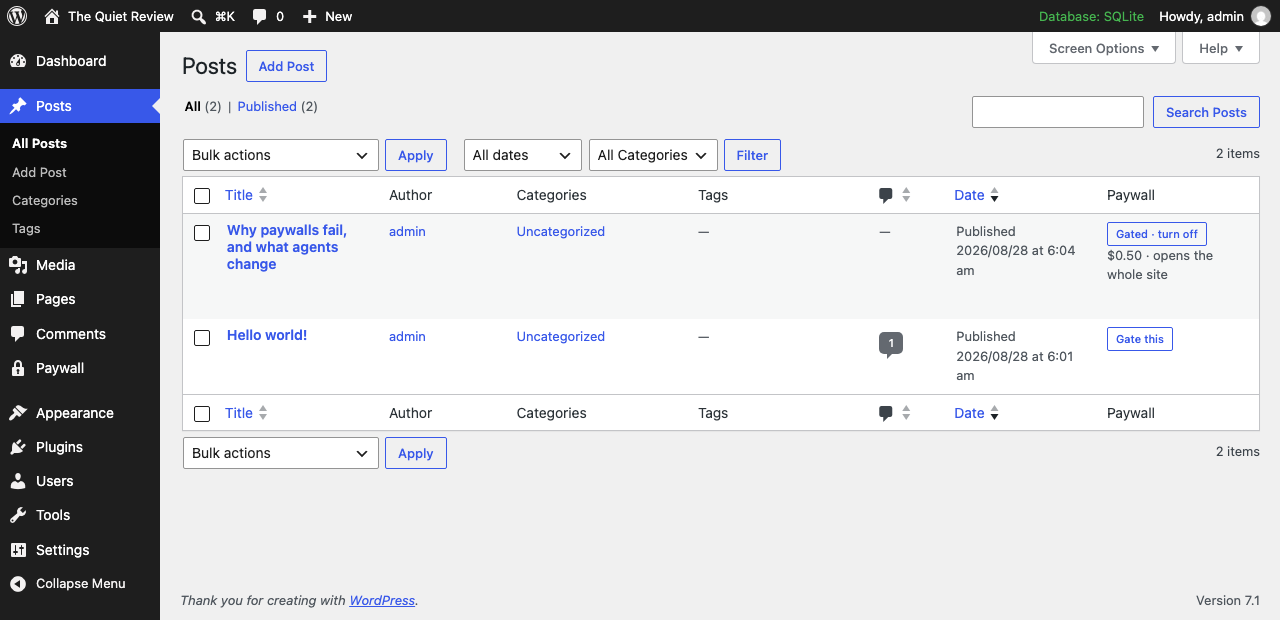
Many posts. Select them and use the Put behind the paywall bulk action. This is what makes an archive of two hundred posts a five-minute job.
Where the free part ends. Drop the Paywall block into a post and everything below it is charged for. Without a block the split falls after the first paragraph, because gating has to be one click and a plugin that first demands you go and place a marker has made the common case the slow one.
Three ways in, one set of operations#
The admin screens, the REST API and the MCP server are generated from a single table of operations. They are not three implementations of gating, so they cannot drift apart.
| operation | in WordPress | REST |
|---|---|---|
list_pages |
the Posts list, Paywall column | GET /wp-json/checkout402/v1/list-pages |
get_page |
the Paywall panel on the post | GET …/get-page |
gate_page |
Gate this, or the bulk action | POST …/gate-page |
ungate_page |
turn off, or the bulk action | POST …/ungate-page |
set_paywall_point |
the Paywall block | POST …/set-paywall-point |
get_snippet |
What gets rendered on the post | GET …/get-snippet |
get_access |
Settings → Who reads without paying | GET …/get-access |
set_access |
the role checkboxes | POST …/set-access |
set_user_access |
the user profile checkbox | POST …/set-user-access |
get_earnings |
Paywall → Earnings | GET …/get-earnings |
get_status |
Paywall → Settings | GET …/get-status |
REST routes use your normal WordPress authentication and your normal capabilities: gating a post needs the same permission as publishing one.
Who reads without paying#
A paywall nobody can be let through is not usable by a publication: staff, members, reviewers and comped readers all have to get past it.
Anyone who can edit a post always reads it free. That is not configurable and it is checked before anything else — an author who cannot read their own article on their own site would conclude the plugin is broken, and they would be half right.
By role. Paywall → Settings lists every role on the site. Tick one and
nobody with it ever meets the paywall. This is the one to use for a
subscriber role, or a membership plugin's own role.
One person. Their user profile has a Reads without paying checkbox. For a reviewer, a colleague, someone you comped.
Per post. free_for_roles on a single post lets a role read that piece
free without exempting them from everything — a article a tier includes, or an
early release for members.
Anything else. A c402_reads_free filter runs last, over all of the above:
add_filter( 'c402_reads_free', function ( $free, $post_id, $user_id ) {
    return $free || my_membership_plugin_has_active_sub( $user_id );
}, 10, 3 );
MemberPress, Paid Memberships Pro, WooCommerce Memberships and every bespoke members table already know who has paid them. This plugin asks rather than trying to learn each of their schemas.
All four decisions are made in one function that the page, the feed, the REST API and the excerpt all call. A site that exempted its members on the page but not in the feed would have a paywall its subscribers hit on one surface out of four, and would not find out until someone complained.
Letting an agent run the paywall#
The plugin runs a small MCP server on your own site, so Claude, or anything else that speaks MCP, can do everything in that table.
Paywall → Settings shows the endpoint and a bearer token:
https://yoursite.com/wp-json/checkout402/v1/mcp
The token is bound to a WordPress account, so an agent can do exactly what that account could do and nothing more. Rotate it from the same screen.
Then the useful sentences are the obvious ones:
Which of my posts are behind the paywall?
Gate everything I published in March at 25 cents.
Keep three paragraphs free on the interview piece.
What has the paywall earned this month?
Let subscribers read everything free.
tools/list answers without a token — a host should be able to see what is on
offer before anyone pastes a secret — but nothing that reads a post or changes
a price will run without one.
What it closes that other paywalls do not#
WordPress serves the same post through three doors and they do not share
filters. A plugin that filters the_content alone has a paywall on the page
and none anywhere else.
the_content— the page itself.- The REST API.
/wp-json/wp/v2/postsserves post content directly. It is the most convenient way to scrape a WordPress site and the least likely thing to have been covered. Editors still see everything; nobody else does. - RSS. The feed carries whole posts to every subscriber.
Excerpts too: an auto-generated excerpt is built by truncating the full post, which on a short article reaches past the wall.
Caching#
The page an anonymous visitor gets is identical for everyone, so it caches normally — full-page caches, Cloudflare, whatever you run. There is no vary-by-cookie and nothing to bust. The paid part is fetched separately and is never cached.
This is a consequence of the design rather than a feature we added: the reveal happens in the reader's browser, against a pass held on your origin.
Exempt readers are logged in, and every serious WordPress page cache already excludes logged-in visitors, so the two do not fight. If you run a cache that serves logged-in users from the same bucket as anonymous ones, turn that off before exempting a role — otherwise one exempt reader can warm a cache entry that then hands the full article to everyone.
What a reader sees when your site is down#
The relay is a call to your own WordPress. If it fails, the reader is told plainly that the article could not be fetched and that their pass is still valid. They are not charged again, and the article appears when your site answers.
Earnings#
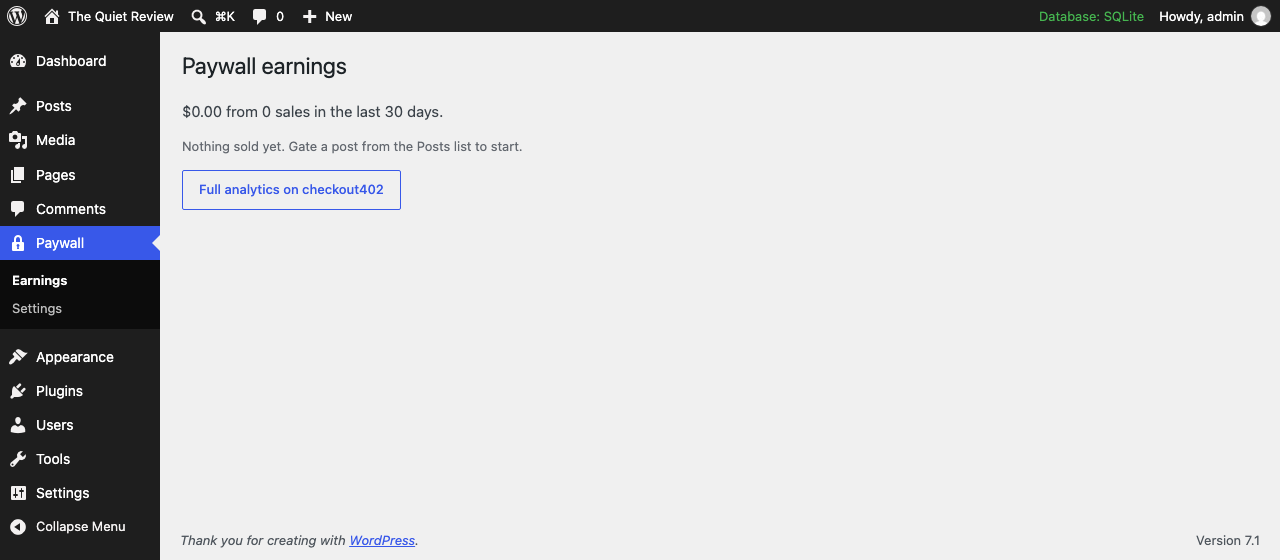
Paywall → Earnings shows sales and revenue per article, joined back to the posts they belong to. The same figures appear in your checkout402 dashboard under Analytics, grouped as Your paywall — the plugin marks every gate it creates, so your paywall reads as one line rather than a dozen checkouts you have to recognise by title.
There is one ledger, not two to reconcile.
Getting the plugin#
Download checkout402-paywall.zip, then in WordPress: Plugins → Add New → Upload Plugin → Choose File → Install Now.
That link is always the current release. There is a versioned copy beside it
(/checkout402-paywall-0.1.0.zip) if you need to pin one, or to roll back.
Updates are manual for now
WordPress auto-updates plugins it installed from the wordpress.org directory. This one is installed by upload, so it will not offer you an update: check back here, or watch the changelog. The directory listing is in progress and will make updates automatic.